Don't cram. Stride.
Stride builds your study plan around your real pace - and automatically adjusts when life gets in the way.
Study anywhere
On your desk or on the go.
Study anywhere
On your desk or on the go.


daily planning
Know exactly what to study. Every day.
Stride builds your daily study plan around your real pace and automatically adjusts when you fall behind - no guessing, no panic.
Today's plan
Progress tracking
Streak
Adaptive rescheduling
daily planning
Know exactly what to study. Every day.
Stride builds your daily study plan around your real pace and automatically adjusts when you fall behind - no guessing, no panic.
Today's plan
Progress tracking
Streak
Adaptive rescheduling
smart scheduling
Your life, your schedule.
Block off classes, work and life. Stride finds the gaps and fills them with exactly the right amount of study time for each exam.
Weekly view
Block busy days
Auto study slots
Exam deadlines

smart scheduling
Your life, your schedule.
Block off classes, work and life. Stride finds the gaps and fills them with exactly the right amount of study time for each exam.
Weekly view
Block busy days
Auto study slots
Exam deadlines
focus & timer
Study sessions that actually mean something.
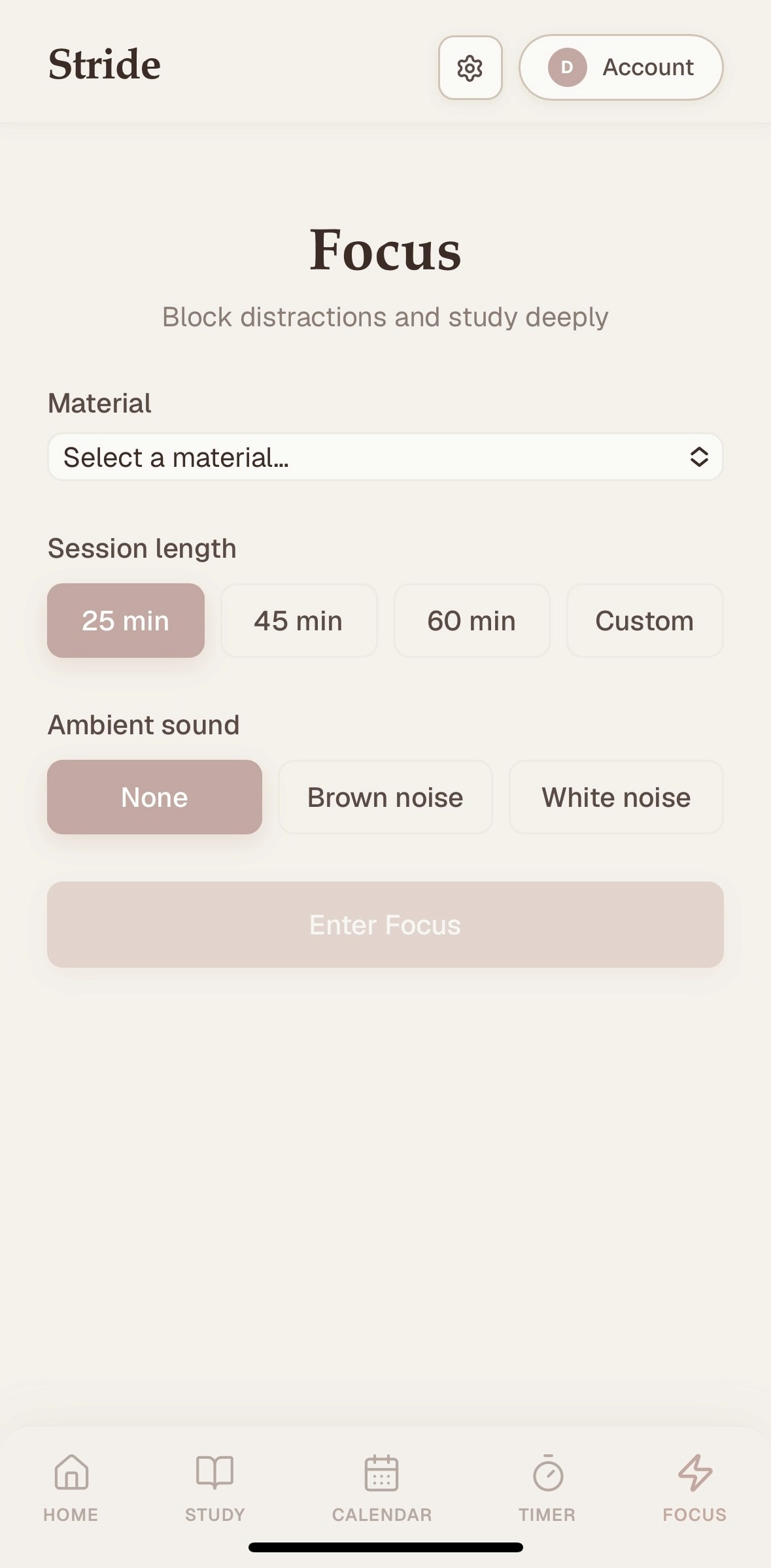

Focus Mode
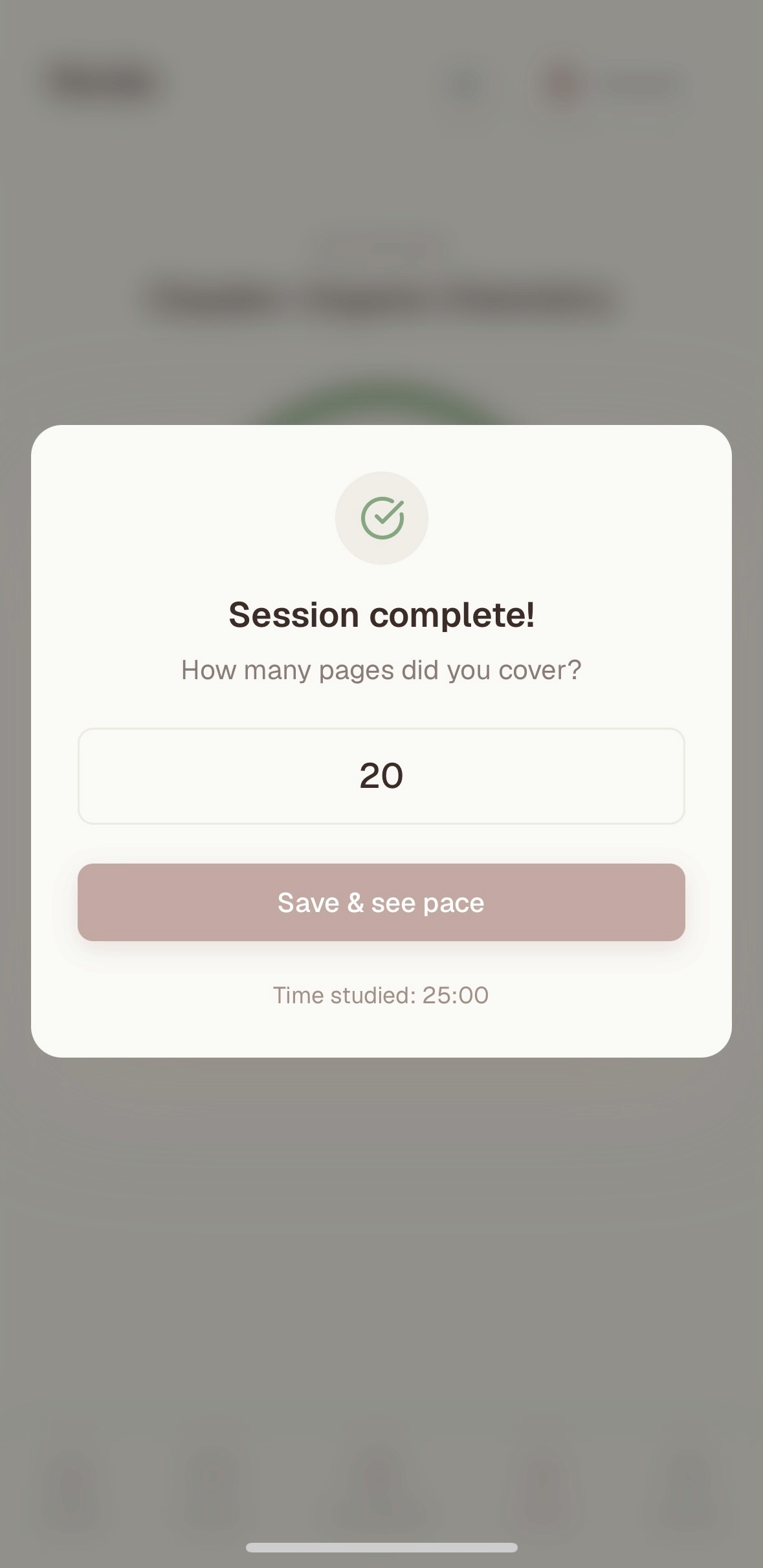

Pace Tracking
Pace Tracking
Every session refines your plan. The more you use it, the smarter it gets.
Every session refines your plan. The more you use it, the smarter it gets.
Focus Mode
Focus Mode
Full-screen, distraction-free. Just you and your material.
Full-screen, distraction-free. Just you and your material.
Smart Timer
Smart Timer
Tracks how fast you actually read, not how fast you think you do.
Tracks how fast you actually read, not how fast you think you do.
focus & timer
Study sessions that actually mean something.
Focus Mode
Pace Tracking
Every session refines your plan. The more you use it, the smarter it gets.
Focus Mode
Full-screen, distraction-free. Just you and your material.
Smart Timer
Tracks how fast you actually read, not how fast you think you do.
Students who stopped cramming
"The timer feature changed how I study. I finally know my actual pace and Stride builds my whole plan around it"
Mateusz R.
Medical student
"I used to guess how much time I had left to study. Stride just told me and it was way more than I thought. Saved my exam."
Anna K.
Law student
"I fell behind two weeks before finals and Stride just... recalculated everything. No panic, just a new plan."
Sofia L.
Economic student
"I've tried every study app. Stride is the only one that actually accounts for real life getting in the way."
James T.
Engineering student
"The timer feature changed how I study. I finally know my actual pace and Stride builds my whole plan around it"
Mateusz R.
Medical student
"I fell behind two weeks before finals and Stride just... recalculated everything. No panic, just a new plan."
Sofia L.
Economic student
"I've tried every study app. Stride is the only one that actually accounts for real life getting in the way."
James T.
Engineering student
"I used to guess how much time I had left to study. Stride just told me and it was way more than I thought. Saved my exam."
Anna K.
Law Student
Students who stopped cramming
"The timer feature changed how I study. I finally know my actual pace and Stride builds my whole plan around it"
Mateusz R.
Medical student
"I used to guess how much time I had left to study. Stride just told me and it was way more than I thought. Saved my exam."
Anna K.
Law student
"I fell behind two weeks before finals and Stride just... recalculated everything. No panic, just a new plan."
Sofia L.
Economic student
"I've tried every study app. Stride is the only one that actually accounts for real life getting in the way."
James T.
Engineering student
"The timer feature changed how I study. I finally know my actual pace and Stride builds my whole plan around it"
Mateusz R.
Medical student
"I fell behind two weeks before finals and Stride just... recalculated everything. No panic, just a new plan."
Sofia L.
Economic student
"I've tried every study app. Stride is the only one that actually accounts for real life getting in the way."
James T.
Engineering student
"I used to guess how much time I had left to study. Stride just told me and it was way more than I thought. Saved my exam."
Anna K.
Law Student
pricing
Simple plans
for serious work
Stride Free
Free
Perfect for getting started
1 active exam
Today's plan
Smart Timer
Basic schedule regeneration
Automatic rescheduling
Streak tracking
Stride Pro
$9.99
For students who are serious about exams
Everything in Free, plus:
Unlimited exams & materials
Low energy day
Focus mode
Exam priority weighting
Revision days
Crunch mode warning
AI summaries
pricing
Simple plans
for serious work
Stride Free
Free
Perfect for getting started
1 active exam
Today's plan
Smart Timer
Basic schedule regeneration
Automatic rescheduling
Streak tracking
Stride Pro
$9.99
For students who are serious about exams
Everything in Free, plus:
Unlimited exams & materials
Low energy day
Focus mode
Exam priority weighting
Revision days
Crunch mode warning
AI summaries
Get the app
Feels like a real app. Because it is.
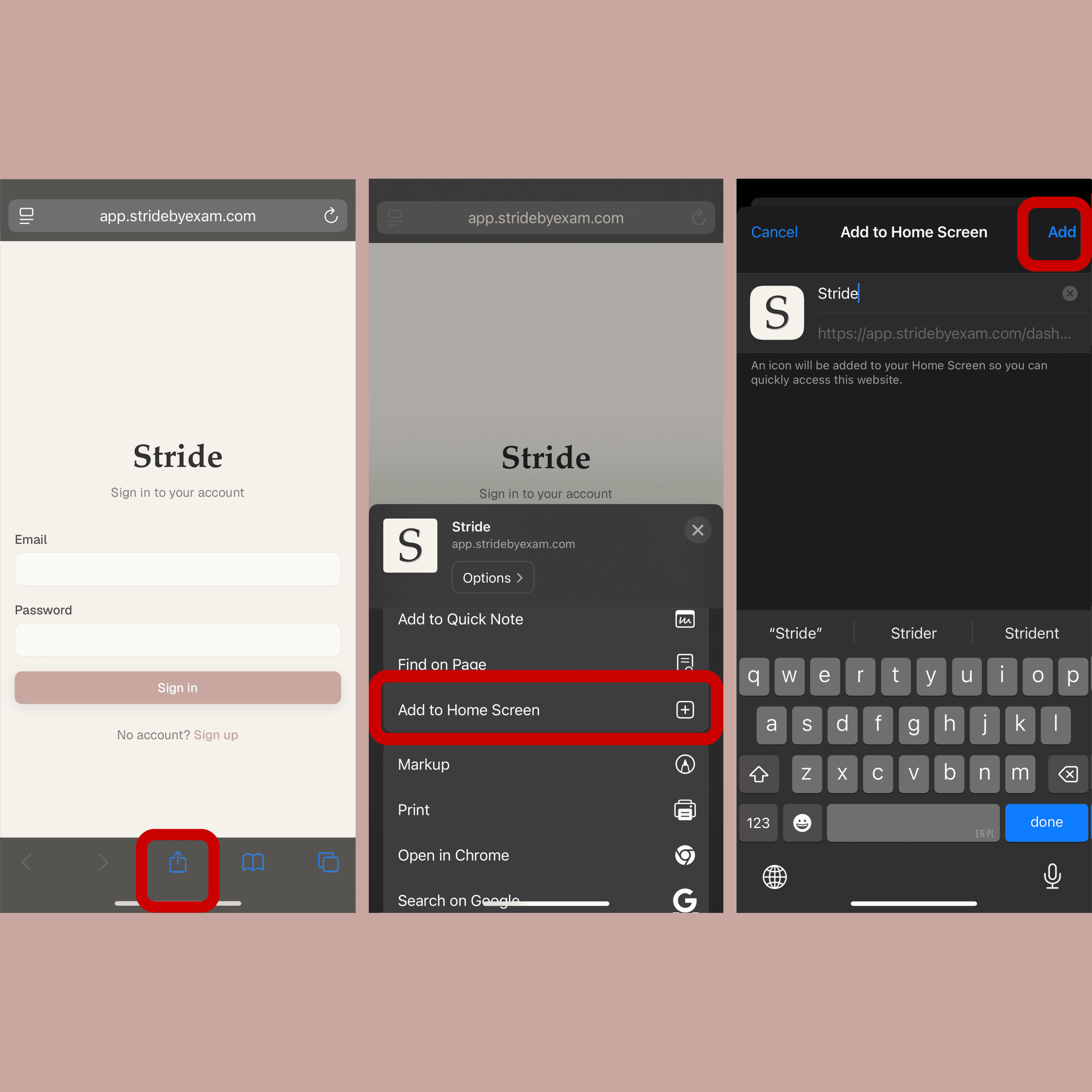
Iphone
Add to Home Screen on iOS
1. Open app.stridebyexam.com in Safari
2. Tap the Share button
3. Tap 'Add to Home Screen'
4. Tap 'Add'

Android
Add to Home Screen on Android
1. Open app.stridebyexam.com in Chrome
2. Tap the three-dot menu
3. Tap 'Add to Home Screen' -> choose 'Install'
4. Swipe up to open your app drawer, find Stride, then long-press and add it to your home screen
Get the app
Feels like a real app. Because it is.
Iphone
Add to Home Screen on iOS
1. Open app.stridebyexam.com in Safari
2. Tap the Share button
3. Tap 'Add to Home Screen'
4. Tap 'Add'
Android
Add to Home Screen on Android
1. Open app.stridebyexam.com in Chrome
2. Tap the three-dot menu
3. Tap 'Add to Home Screen' -> choose 'Install'
4. Swipe up to open your app drawer, find Stride, then long-press and add it to your home screen

